GameInventor
Design a complete tabletop game, then print it.
Desktop app, in development
About
GameInventor is a desktop app for designing complete tabletop games: cards and decks, boards (freeform, square or hex), standees and meeples, dice, tokens, counters, player boards and rulebooks.
Edit your card data and see it render live, test the game on a virtual table, then export print-ready files with bleed and crop marks, or a print-and-play sheet you can cut at home.
- 10
- game types to start from
- 63 × 88 mm
- standard card, 3 mm bleed
- 8
- workspaces, from Cards to Play
- print-ready, with crop marks
Design a card
Edit the fields and the card updates as you type. Switch on the print guides to see the bleed, the safe area and the crop marks.
63 × 88 mm card, 3.5 mm corners, 3 mm bleed, 3 mm safe margin.
From idea to print
Design
Lay out cards, paint boards, shape tokens and standees, and write the rulebook.
Test
Play your game on a virtual table as you design it, and keep notes on what you find.
Print
Export print-ready PDFs with bleed and crop marks, or a print-and-play sheet.
What it looks like
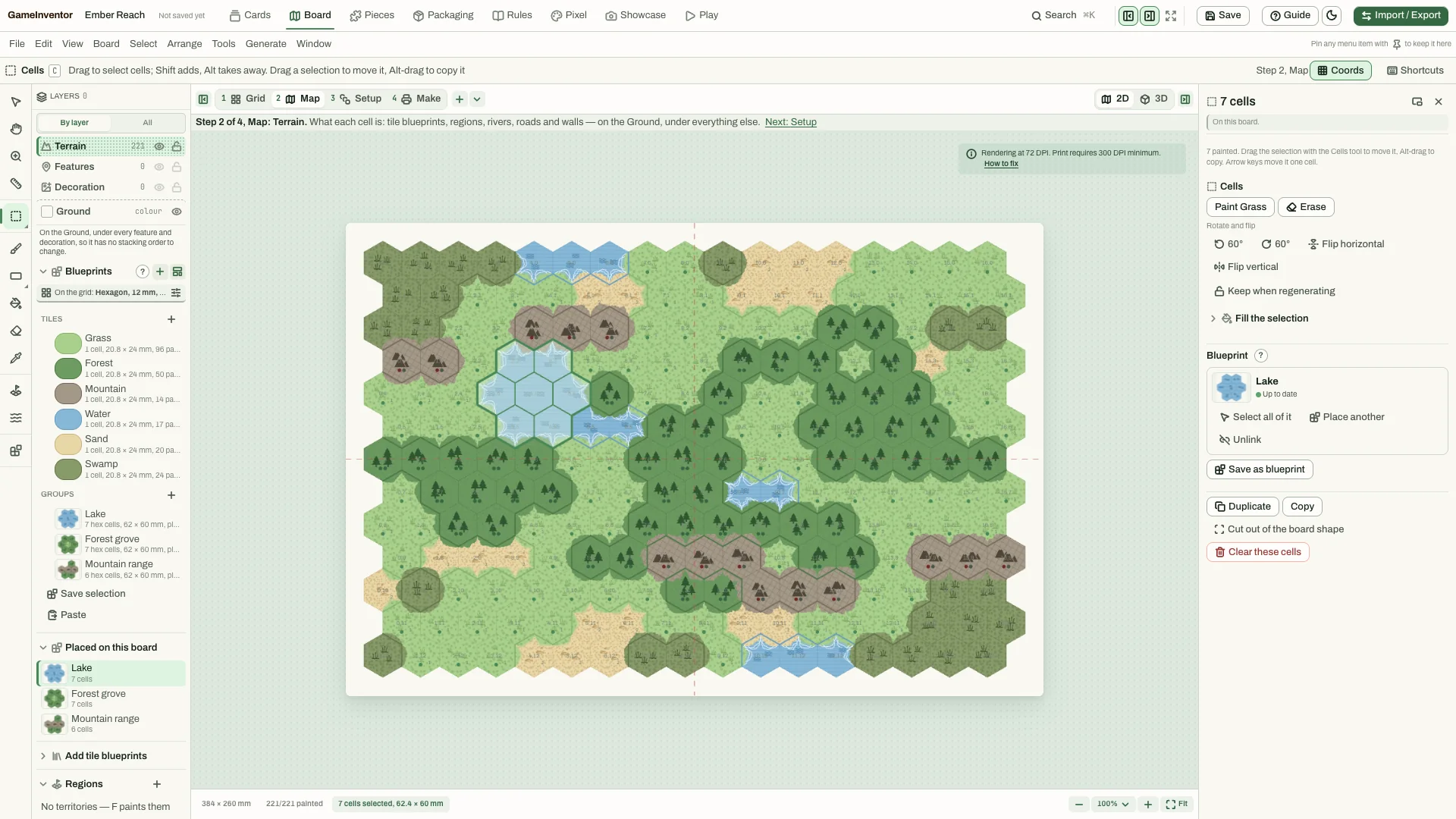
The board editor, with a sample project called Ember Reach. Paint the board
Paint hex or square boards tile by tile, place blueprints such as lakes, forests and mountain ranges, and keep track of how many cells are left to paint.
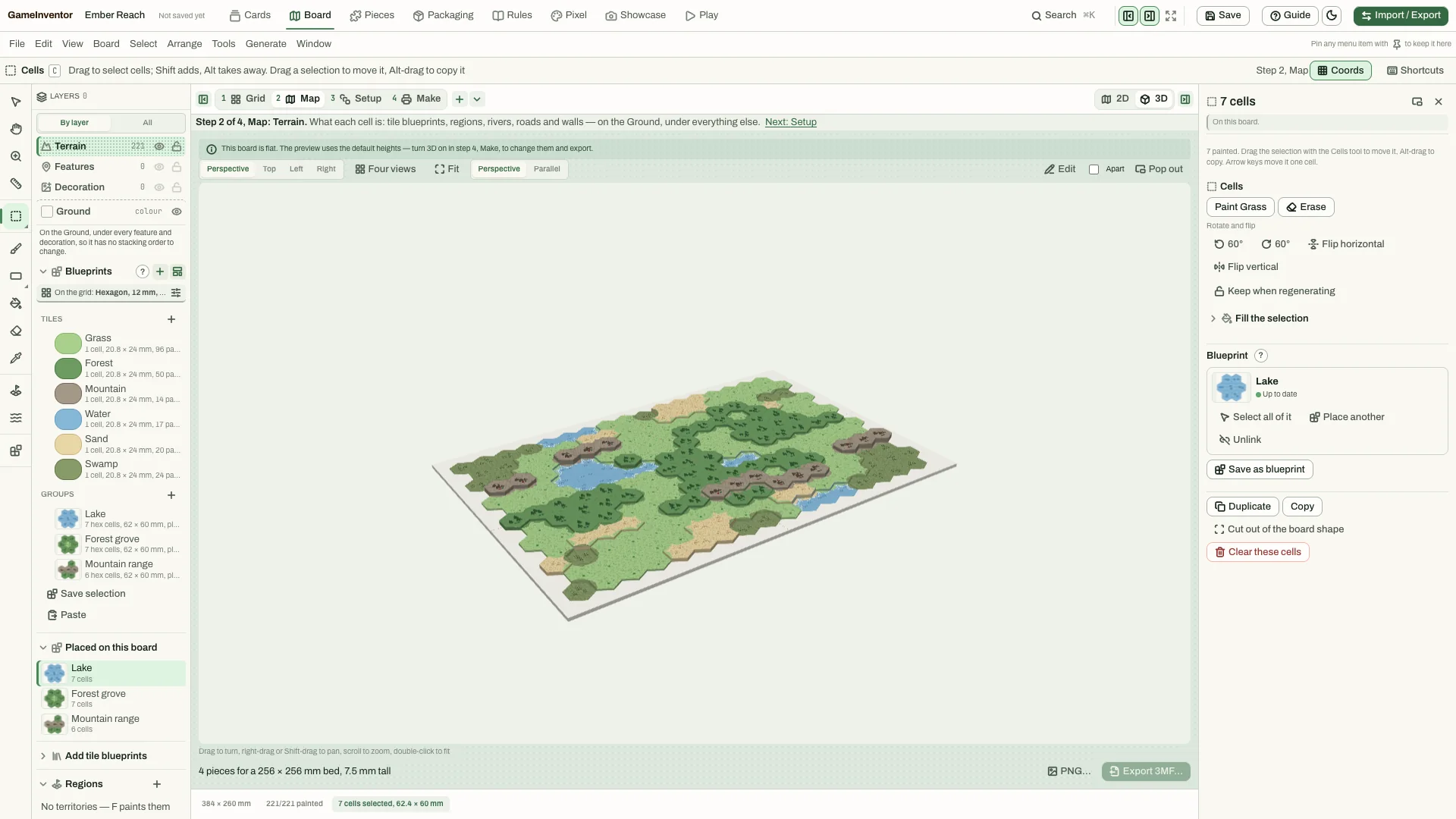
The board in 3D. Then see it in 3D
A perspective preview shows the board at the height of its terrain. Switch between perspective, top and side views to check how it will look on the table.
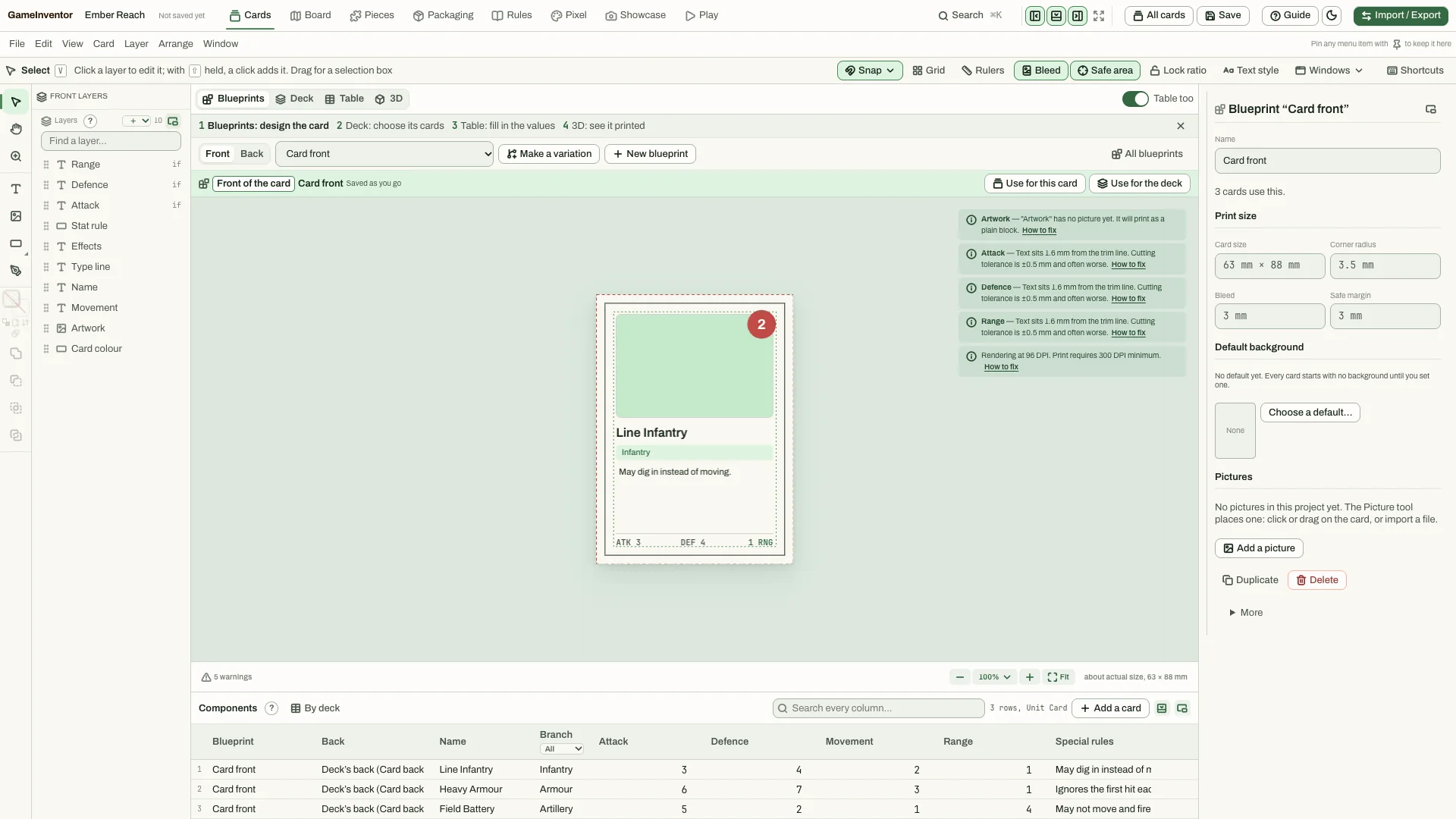
A card, its blueprint and the data table. Design the card
Set the print size, corner radius, bleed and safe margin once, and see every card in a data table below the preview. Warnings tell you when artwork is too low in resolution or text sits too close to the edge.
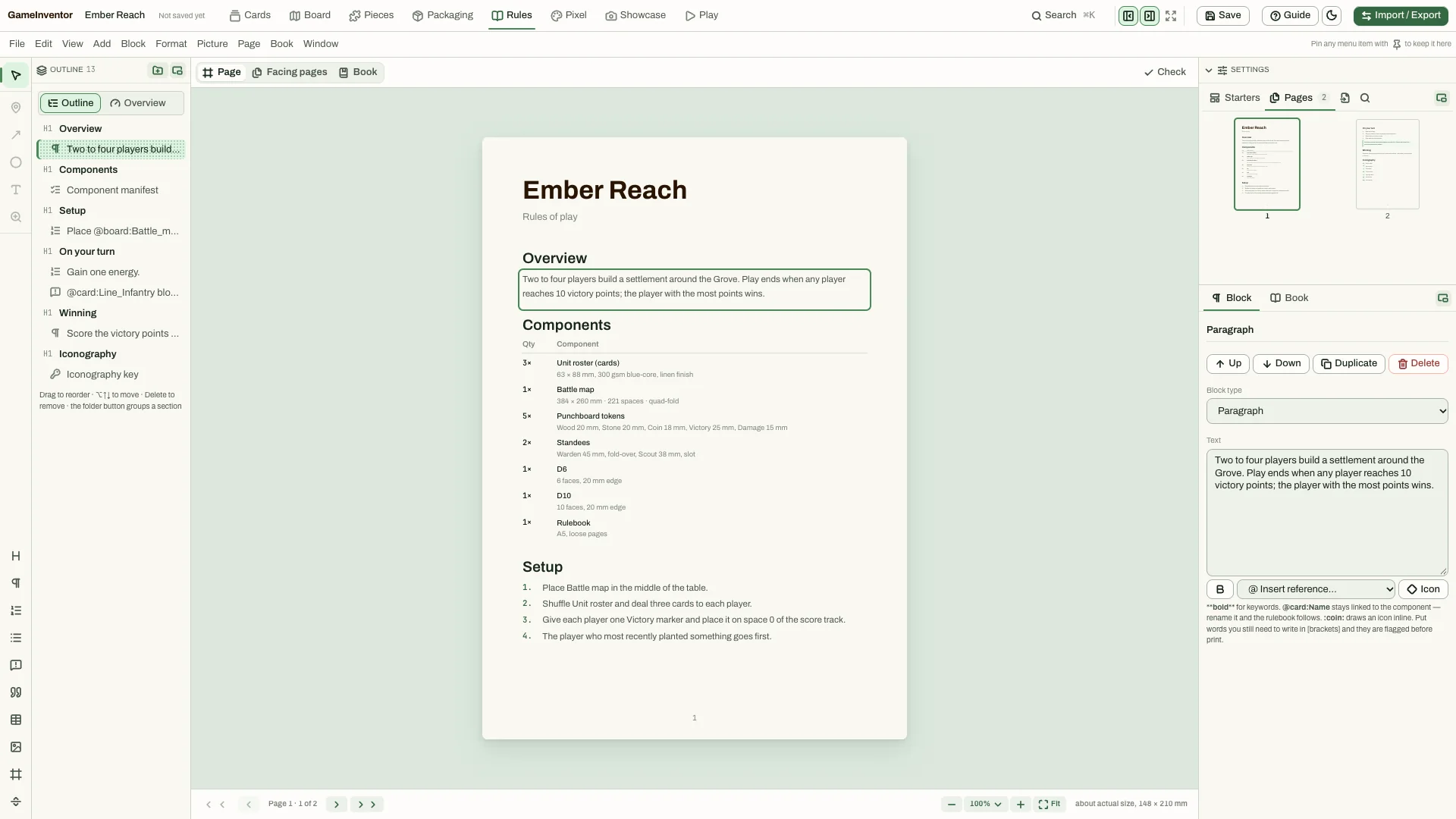
The rulebook, page by page. Write the rulebook
Pages and facing pages with an outline, and live references to your components, so the rules and the pieces stay in step.
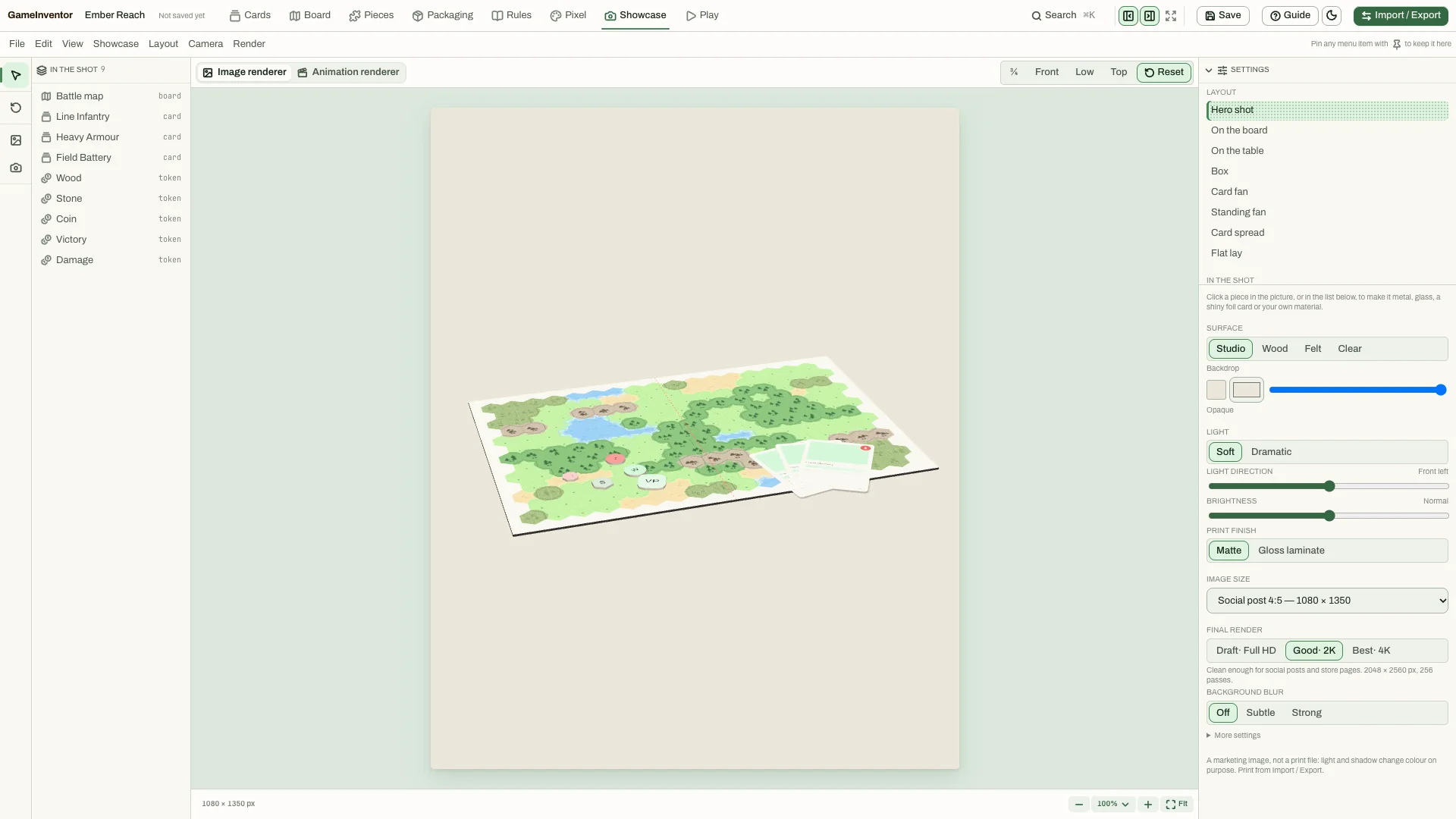
Showcase renders. Show it off
Render a hero shot of your game: on the board, on the table, in a box, as a card fan or flat lay. Choose the surface, the light and an image size for a social post or a final render.
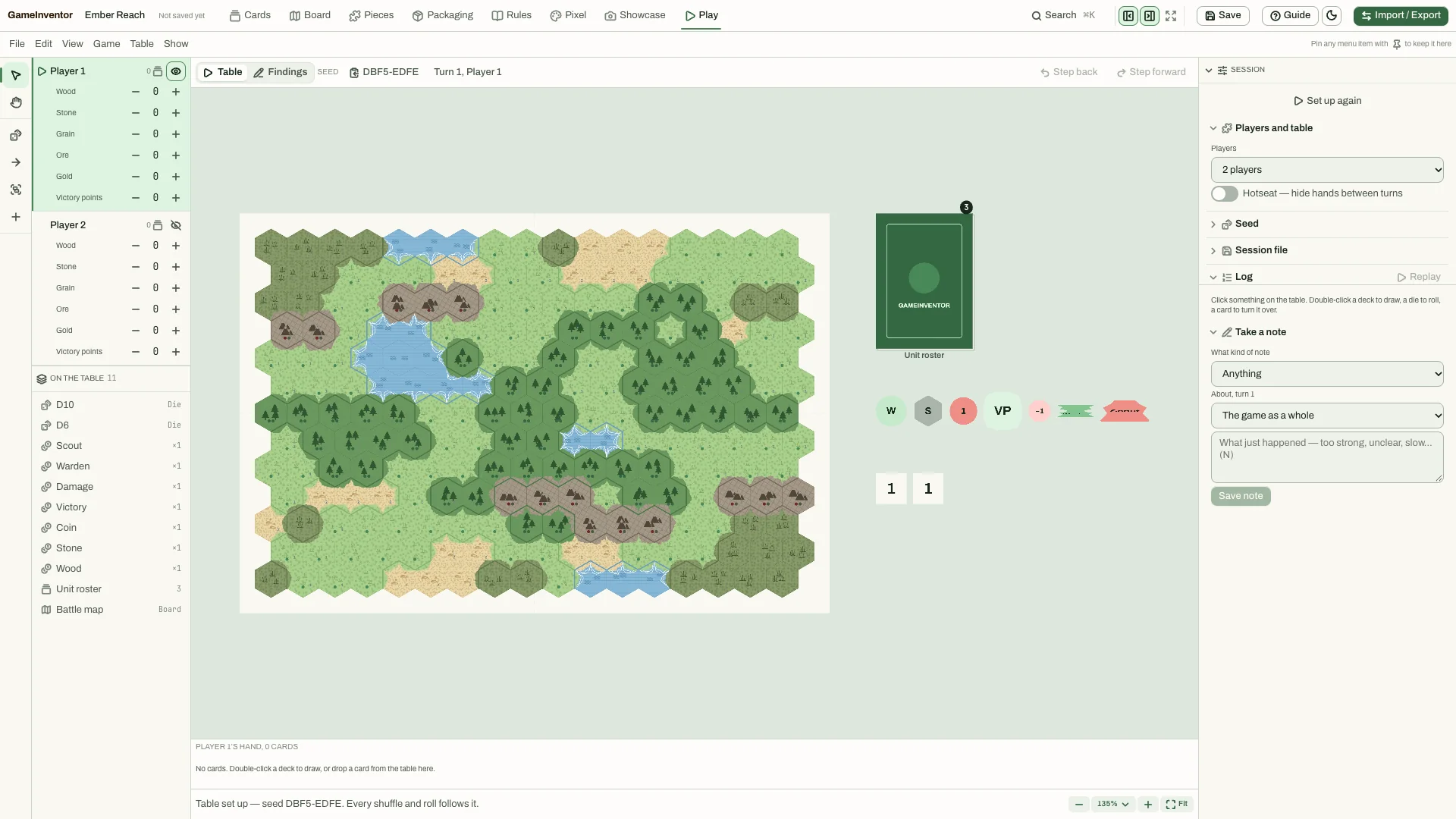
Play the table and log notes. Play the table
Set up a table for two or more players, move pieces and keep a log of what you notice, such as a rule that is unclear or a piece that is too strong. Seeds keep sessions repeatable.
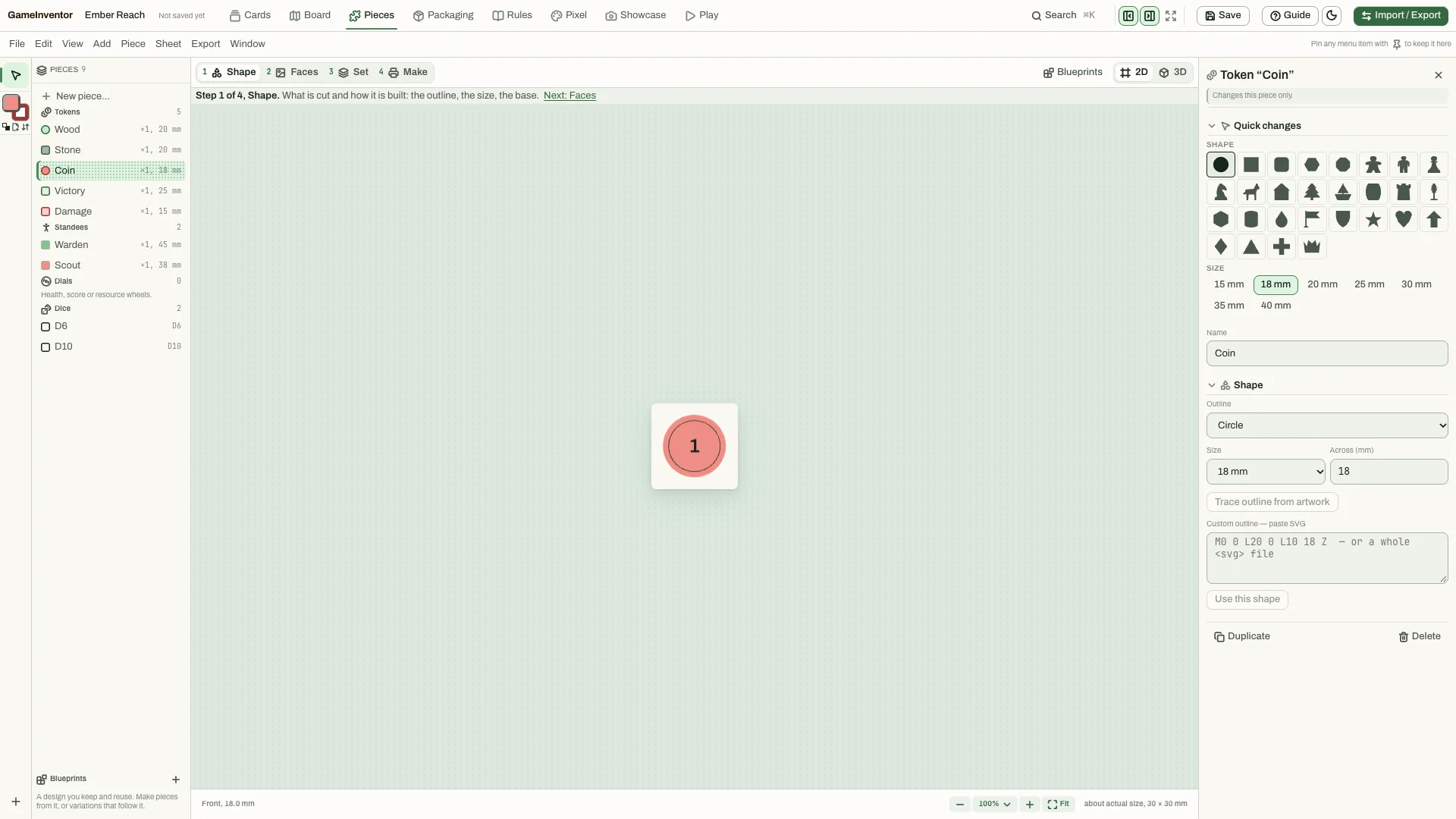
The pieces editor. Shape your pieces
Tokens, standees and counters start from a shape and a size, then get a face and a name. Nest them on punchboards and fold paper dice.
Under the hood
Start from a game type
Create a project from one of ten game types, each set up with the components that kind of game needs.
Autosave and recovery
Your project saves as you go and recovers after a crash.
Print pre-flight
Checks warn you before you print: resolution, margins, bleed.
Exact dice odds
Analyse a dice pool exactly instead of guessing.
Questions
What can I design?
Cards and decks, boards (freeform, square or hex), standees and meeples, dice, tokens, counters, player boards and rulebooks.
What do I get out of it?
Print-ready PDFs with bleed, crop marks and embedded fonts, plus a print-and-play sheet, and Showcase renders for sharing.
Is it finished?
No. GameInventor is in development. The screenshots show the current app, and more is on the way.
Which platforms?
It is a desktop app. Mac, Windows and Linux builds are planned.
Can I try it?
Write to us about early access.
Details
- Platform
- Desktop (Mac, Windows and Linux builds planned)
- Status
- In development
- Output
- Print-ready PDF and print-and-play sheets
- Saves
- Autosave with crash recovery
Stay in the loop
Write to us about GameInventor, early access, press or playtesting.